Android
- Browser: Chrome 90 or later recommended
- OS: Android 8.0 (Oreo) or higher
- Connection: 4G, 5G, or Wi-Fi for live dealer streaming
App at Millioner in Australia: No Download Needed
No download required - the full Millioner Casino experience runs in your mobile browser. Add a home screen shortcut for app-like access to 6,000+ pokies, live dealer games, and sports betting on any iOS or Android device.
No download required - the full Millioner Casino experience runs in your mobile browser. Add a home screen shortcut for app-like access to 6,000+ pokies, live dealer games, and sports betting on any iOS or Android device.
No download required - the full Millioner Casino experience runs in your mobile browser. Add a home screen shortcut for app-like access to 6,000+ pokies, live dealer games, and sports betting on any iOS or Android device.
Launch on Mobile Play responsibly - gambling carries a risk of addiction. Must be 18+. Bonus T&Cs apply.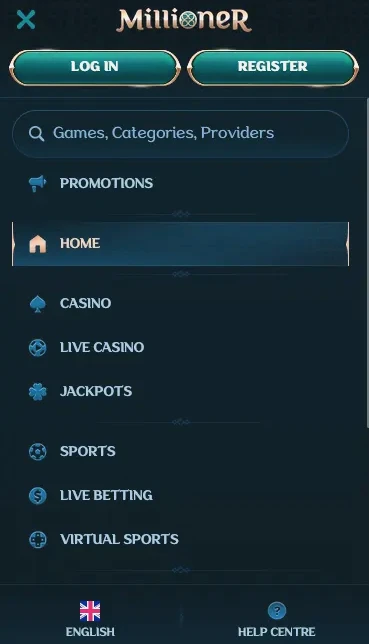
Mobile Experience Overview
Pros
Cons
Add Millioner to Your Home Screen
Compatibility Requirements
Android
iOS
Mobile Account Security
What You Should Do
What You Should Avoid
What You Get on Mobile
Full Catalogue on Every Screen
All 6,000+ titles from Pragmatic Play, Evolution Gaming, Play'n GO, Hacksaw Gaming and 100+ other studios are accessible in the mobile browser - no reduced library.
Instant Load, No Installation
Sessions start immediately without App Store approvals or waiting for a large file to download; the progressive web approach loads pages directly from the Millioner servers.
Encrypted Mobile Sessions
All mobile connections are secured by 256-bit SSL encryption, protecting your login credentials, payment details, and personal data on every session.
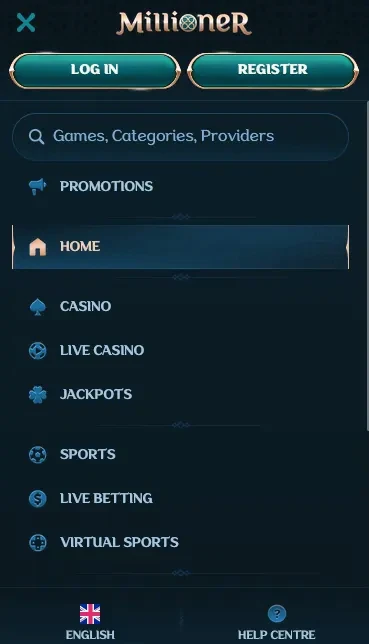
Millioner Casino is built to deliver the same experience on a smartphone or tablet as it does on a desktop machine. The platform is fully browser-based, which means the entire catalogue of over 6,000 games from Pragmatic Play, Evolution Gaming, Play’n GO, Hacksaw Gaming, and more than 100 other certified studios is available the moment you open millionerslots.com on your device. There is no dedicated app on the Google Play Store or Apple App Store - and none is needed.
The mobile platform is not a scaled-down subset of the desktop experience; it is the same product rendered responsively for smaller screens. Every section, including the pokie lobby, live casino, sportsbook, cashier, promotions dashboard, and account settings, is accessible from any modern mobile browser.
Touch controls are optimised across the game lobby, with swipe navigation, tap-to-spin functionality, and pinch-to-zoom supported wherever the game studio has implemented them. Loading times are comparable to desktop for most pokies, though live dealer streams benefit from a strong 4G, 5G, or Wi-Fi connection to maintain video quality throughout the session.
The account dashboard on mobile gives full access to active bonuses, wagering progress, deposit and withdrawal history, and responsible gaming tools including deposit limits and self-exclusion. Notifications about promotions and account events are delivered via the browser rather than push notifications, since there is no native app to channel them through.
The primary difference is layout: the mobile interface uses a single-column format with bottom navigation tabs, whereas desktop uses a wider multi-column grid. Both surfaces show the same game count and the same live dealer tables from Evolution Gaming, Pragmatic Play Live, and Ezugi. The sportsbook is equally functional on mobile, with live in-play odds updating in real time and cash-out available on supported markets.
Because Millioner runs as a browser-based platform, there is nothing to install in the traditional sense. However, adding a home screen shortcut converts the browser tab into a persistent, app-like icon on your device.
Open the Google Chrome browser on your Android device and navigate to millionerslots.com. Tap the three-dot overflow menu in the upper-right corner of the browser. Select Add to Home Screen from the menu options. A dialogue box appears with the site name pre-filled; confirm by tapping Add. The shortcut icon appears on your home screen within seconds. Tapping it launches Millioner in a standalone browser window without the address bar, giving the visual impression of a native application.
Open Safari on your iPhone or iPad and navigate to millionerslots.com. Tap the Share button - the icon that looks like a box with an upward-pointing arrow - located in the bottom toolbar on iPhone or at the top of the screen on iPad. Scroll through the share options and tap Add to Home Screen. Edit the shortcut name if desired, then tap Add in the top-right corner of the screen. The icon is placed on your home screen and, when tapped, opens Millioner in a full-screen Safari session that behaves like a standalone app.
Because the shortcut links directly to millionerslots.com rather than a packaged application, neither an Apple ID nor a Google account is required to set it up. Updates to the platform take effect automatically - every time you open the shortcut, you are accessing the current live version of the site with no manual update step.
The table in the Compatibility section of this page outlines the minimum browser and operating system versions required for a stable session. Devices running Android 8.0 or later with Chrome 90+ and iOS 13 or later with Safari 14+ cover the vast majority of active mobile devices in circulation. The live dealer streaming from Evolution Gaming is the most demanding feature; sessions on slower connections may benefit from switching to a standard pokie to avoid buffering.
The mobile lobby presents the complete Millioner catalogue without filtering. All categories, including pokies, Megaways variants, bonus buy titles, jackpot games, live dealer, and instant-win formats, are available.
Pokies are the best-optimised mobile format because they require minimal bandwidth and render cleanly at any screen resolution. Titles from Pragmatic Play such as Gates of Olympus and Sweet Bonanza, Play’n GO releases including Book of Dead and Moon Princess, and Hacksaw Gaming’s library of short-form high-variance pokies all run smoothly in the mobile browser. Megaways mechanics from Big Time Gaming function identically on mobile, with the variable reel-configuration engine operating client-side.
Evolution Gaming’s live dealer suite, which includes Lightning Roulette, Speed Baccarat, Crazy Time, Monopoly Live, Mega Ball, and Deal or No Deal Live, streams at full quality on mobile over a stable connection. The chat overlay that allows communication with dealers and other players is accessible via a tap. Pragmatic Play Live and Ezugi tables are also available with the same functionality.
RNG-powered table games including blackjack and baccarat from multiple studios load quickly and are touch-optimised. Progressive jackpot pokies display live prize pool counters in the mobile lobby, identical to the desktop view.
All promotions available on desktop are equally accessible from the mobile browser. The three-deposit welcome package of up to AU$2,500 in bonus funds and 300 free spins is available to new players who register on mobile, with the same 35x wagering requirement applying. Players must be 18 years of age or older. T&Cs apply.
Weekly cashback, Friday reload bonuses, and Spin Rally tournaments are also available and manageable entirely from the mobile account dashboard. The Bonus Shop, where loyalty points can be exchanged for bonus funds or free spins, is accessible from the promotions section of the mobile menu.
The full cashier is available on mobile, supporting all payment methods including Visa, Mastercard, Skrill, Neteller, MiFinity, Bitcoin, Ethereum, Tether, Litecoin, Cardano, Paysafecard, Bank Wire Transfer, Interac, Revolut, and Zimpler.
| Method | Processing Time | Notes |
|---|---|---|
| Visa / Mastercard | Instant deposit, 3-5 days withdrawal | Standard card processing |
| Skrill / Neteller / MiFinity | Instant deposit, 0-24 hours withdrawal | Fastest fiat option |
| Bitcoin / Ethereum / Tether | Instant deposit, 0-24 hours withdrawal | Fastest overall |
| Bank Wire Transfer | 1-3 days deposit, 3-7 days withdrawal | Slowest but widely available |
| Interac | Instant deposit, 1-3 days withdrawal | Available for AUD and CAD |
All transactions on mobile use the same 256-bit SSL encryption as desktop. The minimum deposit across most methods is AU$10. KYC verification must be completed before withdrawals are processed; documents can be uploaded directly from your mobile camera through the account verification section.
Creating a new account on mobile follows the same flow as desktop: tap the Sign Up button, enter your email address, create a password, and select a currency. The process takes under two minutes and does not require a download. Returning players sign in with their email and password; most mobile browsers offer to save these credentials or authenticate via fingerprint or Face ID on subsequent visits, reducing sign-in to a single tap.
All communication between your device and Millioner’s servers is encrypted with 256-bit SSL, the same standard used by major financial institutions. This applies to login sessions, game data, and payment transactions.
While Millioner does not currently implement in-platform two-factor authentication, most modern mobile browsers support biometric credential management. Enabling fingerprint or Face ID access in your browser settings provides a hardware-backed layer of authentication that makes credential theft significantly harder.
Deposit limits, session time limits, and self-exclusion are all configurable from the mobile account settings. If you need assistance with any responsible gaming tool, the 24/7 live chat is accessible from the mobile menu without requiring a separate application. You can also email [email protected] at any time.
The 24/7 live chat widget is available on the mobile version of millionerslots.com in the same position as on desktop. It opens in an overlay within the browser window without redirecting to an external application. For account verification, detailed payment queries, or complaints that benefit from a written record, email [email protected]. The support team can be reached around the clock and does not require a native app to deliver assistance.
Mobile FAQ
There is currently no native app available through Google Play or the App Store; the full platform runs via the mobile browser, and a home screen shortcut recreates the app experience without a download.
Yes - Evolution Gaming live dealer tables including Lightning Roulette, Speed Baccarat, and Crazy Time stream at full quality in the mobile browser on both iOS and Android over a 4G or Wi-Fi connection.
Yes - the three-deposit welcome package of up to AU$2,500 + 300 free spins is available regardless of whether you register on desktop or mobile. 18+ only, T&Cs apply.
Start Playing on Mobile Now
Grab 200% up to A$2,500 and 300 free spins.
Enter Casino Play responsibly - gambling carries a risk of addiction. Must be 18+. Bonus T&Cs apply.